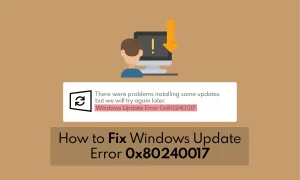


In this article, we will show you some steps to fix windows update error 0x80070103. Windows operating system is made so that it can be updated on regular basics. And offer better security features for your PC than older versions of Windows.
But in some rare cases, Windows OS may have a problem with the update. This error could be caused by the lack of a program that is needed to run the Windows operating system, or it could be caused by a third-party program.
Page contents:
Solution for Windows Update Error 0x80070103
Some Windows users have seen the 0x80070103 error code when they tried to update Windows. On the Windows Update screen, you can clearly see this error code.
The reason behind this error code is not straightforward. This error might occur when windows try to install a new version of the hardware driver. Antivirus might also be a reason for this error.
So how to fix this windows update error 0x80070103? Don’t worry we are here to help you to fix this error in some easy steps. You just have to follow these steps, in order to fix this annoying windows update error 0x80070103. So let’s get started.
Use Windows UpdateTroubleshooter
Windows comes with a troubleshooter that can fix problems automatically. Most of the time, Windows will find the problem and try to fix it on its own.
The built-in troubleshooter for Windows Update will first scan your system and then fix or remove the file or data that is causing the Windows Update error. And users always have the choice to repair or fix the error. Follow the steps below to use the Windows Update Troubleshooter.
Update Device Drivers
Windows Update error 0x80070103 mostly happens when you are trying to install a driver which is already installed on your computer or a downgrade compatibility rating than an already installed driver on your PC. Follow the steps to overcome this error
Check to see if any of your Windows files are broken. You can check and repair your Windows files using “chkdsk” command in Command Prompt.
You can also use some third-party software to automatically update device drivers. Like Iobit Driver Booster.